Studio Calico PENNY ARCADE scrapbook kits and add ons
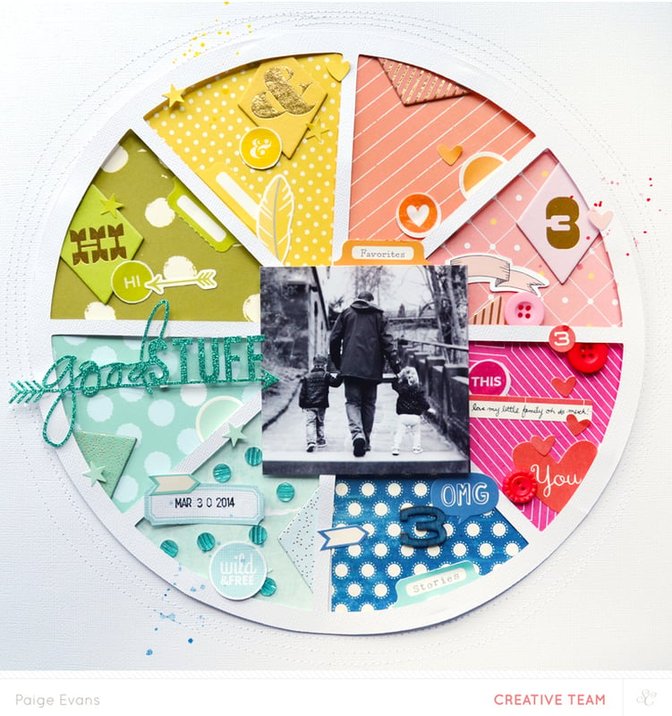
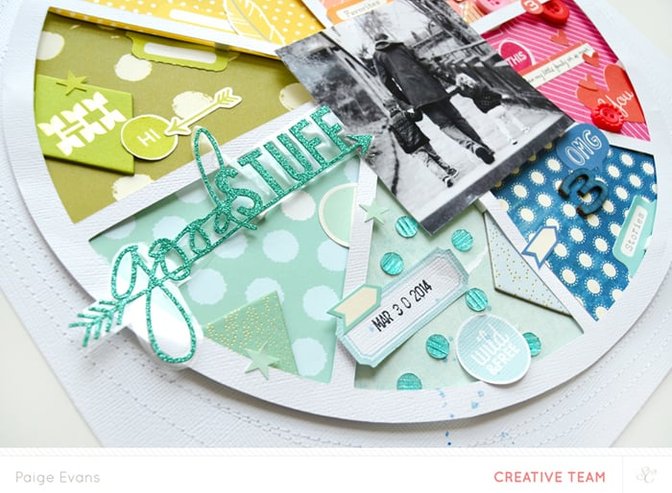
HOW TO: Turn the pie chart from the Penny Arcade Project Life Digital Stamps into a cut file then die cut it from white cardstock. For help on how to do this, the Cameo Basics Studio Calico class is a great place to start! Use the largest "slice" as a template to cut 8 slices from a rainbow of patterned papers. Place foam squares on the back of the pie chart then adhere the papers. Glue the pie chart in the center of a white cardstock layout background. Sew a few circles around the pie chart using white thread for texture. Add a black and white photo to the middle. Fill the pie chart slices with matching colored embellishments. Paint a wood veneer number with mist and add it to the pie chart. Print labels and printables, trim them out, and add them to the pie chart as well. Stamp the date, write a line of journaling, and drop three colors of spray mist on the coordinating slice.
Supplies : kits - PENNY ARCADE SB kit, FORTUNE TELLER SB kit, SKEEBALL SB kit, SPUN SUGAR SB kit; Hello Forever for Studio CalicoHello Forever by Studio Calico03 Black Precision PenStazOn; Penny Arcade Project Life Digital Stamp; Silhouette Cameo; Mister Huey's by Studio Calico


Comments
Sign in or sign up to comment.
21 comments
This is so great- love watching your process!
Replies to melanielouette
Sign in or sign up to reply.
Waouh!!! Love your layout
Thanks for sharing the video!
Replies to virginiegoujon
Sign in or sign up to reply.
Gooooooooo o o rgeous!
Replies to all_that_scrapbooking
Sign in or sign up to reply.
Thanks Paige, awesome video and such an easy way to back the die cuts.
Replies to LindaInAus
Sign in or sign up to reply.
Paige..this is amazing! So cool to watch you work your magic! ;)
Replies to bckueser
Sign in or sign up to reply.
Love this video, Paige! Thanks for sharing!
Replies to r_scrapbooking
Sign in or sign up to reply.
This is a gorgeous page. I like the bright colors.
Replies to PrinzessinN
Sign in or sign up to reply.
Love this Paige! Thank you for the video.
Replies to 1Djc
Sign in or sign up to reply.
Awesome Paige, and I really hope they run the cameo class again as I'd love to sign up.
Replies to lynnseverydayideas
Sign in or sign up to reply.
A work of art!!!!!
Replies to clippergirl
Sign in or sign up to reply.
This is fantastic! I love it..thanks for the video.
Replies to quartetdesigns
Sign in or sign up to reply.
Paige! I love this design! I love your color on color technique too!
Replies to ThatGirlTCB
Sign in or sign up to reply.
This is great! Love the colors.
Replies to pinksoup
Sign in or sign up to reply.
Love this layout. Thanks for sharing
Replies to dalex
Sign in or sign up to reply.
Awesome video and I love the layout!!
Replies to debduty
Sign in or sign up to reply.
This is the best! I L.O.V.E. the layout and haven't watched the video yet but I already know I'll love it :)
Replies to welobellie
Sign in or sign up to reply.
wow!!!
Replies to Kateroar
Sign in or sign up to reply.
awesome loved the video..xx
Replies to AnitaBownds
Sign in or sign up to reply.
Thanks so much!! Love this!…going to purchase the printables and digital stamps right now…
Replies to SueTR
Sign in or sign up to reply.
I thought it adequate to post about this on my blog (http://kerryscoolcreations.blogspot.ca/2014/07/www-wednesday-second-edition.html) since I'd never seen this technique used before this way!
Thank you SO very much for sharing, and I'm super excited to give this a try!
Replies to kjmckenz
Sign in or sign up to reply.