Transparent Printable Accents Tutorial | Nicole Reaves
Tags:I love the transparent elements that have been included in past Project Life® kits and thought it would be fun to make some of my own with my favorite Bluegrass Farm printables. With a little recoloring, I created a full sheet of transparencies that not only coordinate with this month’s kits, but I can use them over and over again in different ways.
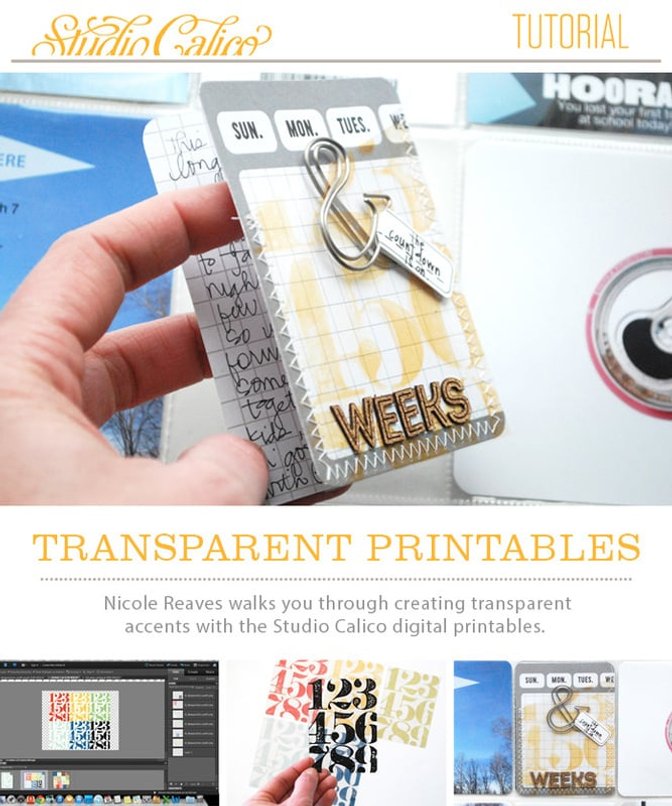
I’ll show you how easy it is to recolor the printables in the shop and how I incorporated mine as a transparency in a Project Life® spread - download my tutorial here!
Supplies : Bluegrass Farm Project Life® kit; Bluegrass Farm printable by In a Creative Bubble; Transparency Film


Comments
Sign in or sign up to comment.
9 comments
thank you for the tutorial! I have been wondering how to recolor the digital elements!
Replies to ginny
Sign in or sign up to reply.
This is awesome. Thank you!
Replies to JoEades
Sign in or sign up to reply.
Thank you Nicole! This is great!
Replies to Roberta
Sign in or sign up to reply.
Thank you Nicole! Great tutorial!
Replies to Msaula
Sign in or sign up to reply.
Awesome! Thank you!
Replies to tesas
Sign in or sign up to reply.
Thanks! I think I posted this question in a classroom and didn't get an answer so this is exactly what I was looking for!
Replies to JoyceC
Sign in or sign up to reply.
On Monday (before your blog post) I was at my friends office and I tried printing out one of the SC digi printables onto a sheet of transparencies I bought in the SC shop. I was using her huge color laser printer and the sheet got stuck. I fumbled around and finally found it - melted!! And the ink was rubbing off onto my hand. Luckily I yanked it out and it didn't damage the machine - phew!! I'm wondering if this film available in the shop is too flimsy? or is because of the type of printer I was using?? Not sure. I did this before I saw your tutorial. Although, I didn't realize I could have chosen "transparency" for the paper. Maybe that would have made a difference . . .
Replies to jrshapiro
Sign in or sign up to reply.
@jrshapiro, I've only printed on transparency with an inkjet printer, so I'm not sure if what is in the shop is compatible with a laser printer.
But definitely select transparency as the paper type. I've messed up before and the ink never dried. The ink must lay on the transparency differently (lighter maybe?) so it will dry. I hope you can find a combination that works!
Replies to nicolereaves
Sign in or sign up to reply.
Thankyou for the awesome tutorial, so easy to follow! Unfortunately my Epson XP-850 does not give me the option of transparency! I tried using glossy photo option but it just runs and rubs off! So disappointed!
Replies to dibrite
Sign in or sign up to reply.