Every month the shop is filled with great cut files, but sometimes they just don't work "as is" for the project I'm creating at the moment. I love taking a cut file and modifying it for my purposes and making it work. With just a few simple tweaks to the XO cut from from Camelot totally compliments my grid based layout. Watch as I put this layout together!
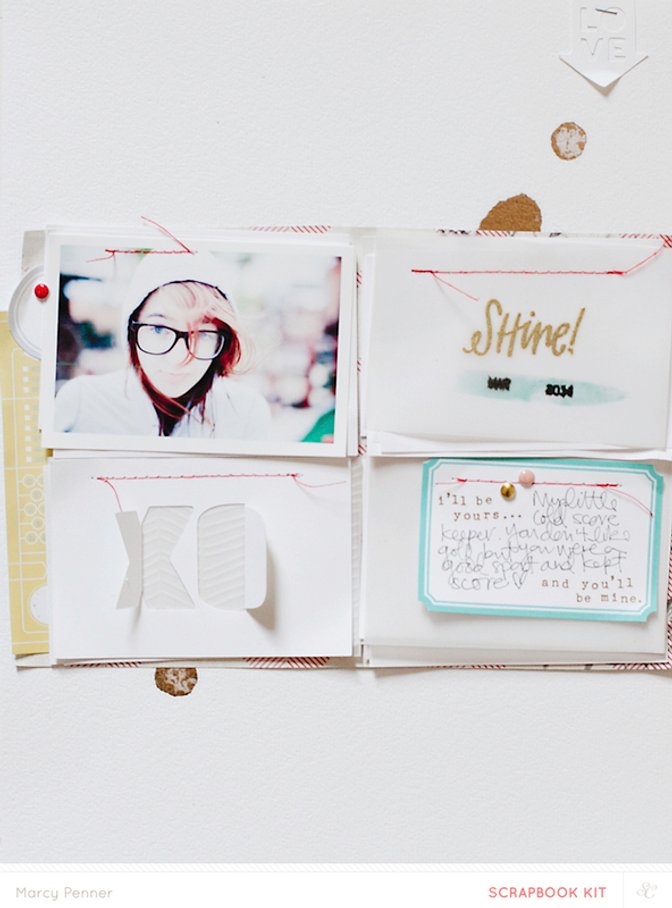
Supplies: Camelot Scrapbook Main kit - patterned paper, patterned vellum, enamel dots, rub-ons, ink dauber; cut file - XO, Love; label - Camelot printable; paint; Cameo; embossing powder - American Crafts (gold); tiny attacher; vellum


Comments
Sign in or sign up to comment.
8 comments
Wonderful Video! Thanks for sharing.
Replies to toribissell
Sign in or sign up to reply.
I learned something new...that there are digital files available! Can you only access them for the month? Are you able to access past month's files, as I never realized they existed(kind of embarrassed).
Replies to Brinkleyboy
Sign in or sign up to reply.
very cool! thanks for sharing, and now I need that XO file. :)
Replies to rkokes
Sign in or sign up to reply.
Seriously? You just roll the date stamp back to an area that isn't inked?! WHY HAVEN'T I THOUGHT OF THIS???
Replies to ccledbetter
Sign in or sign up to reply.
@Brinkleyboy - there are coordinating cut files and printables every month. You'll find them in the digital section of the shop.
Replies to marcypenner
Sign in or sign up to reply.
I always love your videos Marcy, well done.
Replies to supertoni
Sign in or sign up to reply.
love this @marcypenner! so pretty. wondering what product did u use to make the gold splatters?
Replies to neetasduggal
Sign in or sign up to reply.
Love love your videos marcy!!!
Replies to ChristineCieri
Sign in or sign up to reply.