Video and Free Cut File from Wilna Furstenberg
Tags:I made a video for you showing my process in creating a layout with an intricate cut file I designed that you can use with your Silhouette to add some dimension to your layouts. Cut files are a fun way to mix things up in your crafting. Play with color, technique, and layering on your layouts - you've got options!
You can download this cut file for free in the Digital section of the Studio Calico shop!
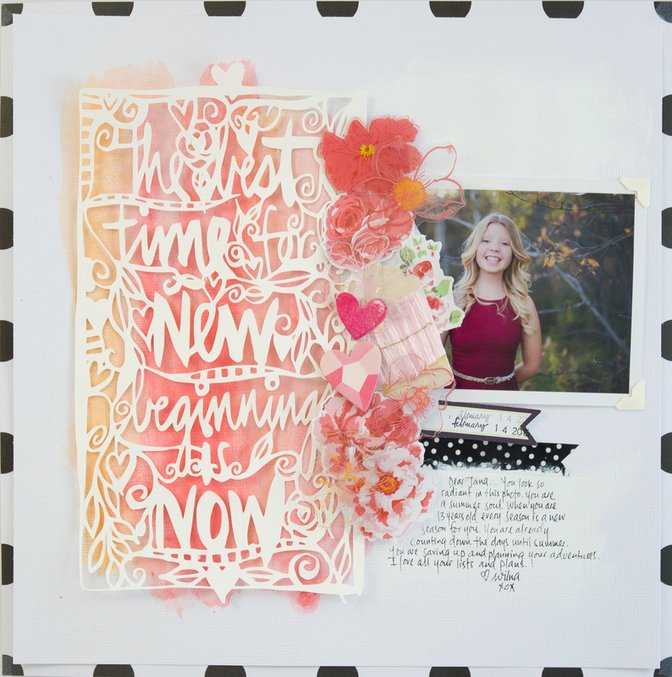
The hardest work is the work that the Silhouette does in cutting the file, but in my video I share with you my machine settings and some tips on getting it right. I also share a few tips in working with Gelatos to get a better result!
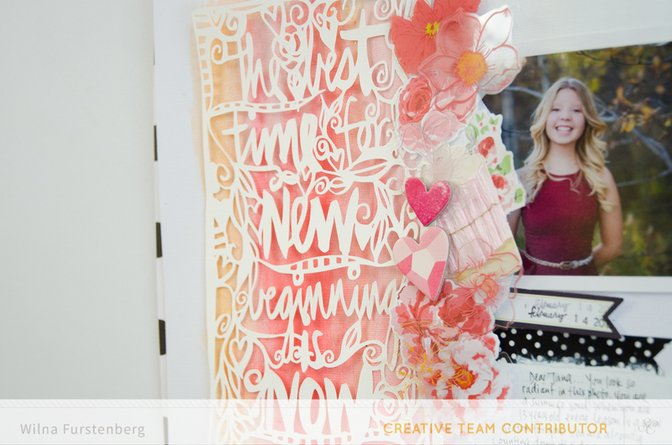
I would love to see what you do with this cut file… share your layouts with us!
Also, if you enjoyed this video, you will love my Workshop: Color Theory where we will be exploring the Studio Calico Color Theory Acrylic Paints. It will be a fun adventure with lots of technical and creative inspiration.
- Wilna
Supplies: Silhouette Cameo Bundle, Gelatos, New Beginnings Cut File by Wilna


Comments
Sign in or sign up to comment.
19 comments
This is so beautiful, Wilna!
Replies to JulieCampbell
Sign in or sign up to reply.
Love this-I love watching all your videos! Your work is amazing!!
Replies to kathyv
Sign in or sign up to reply.
so so lovely, Wilna!
Replies to maggie_massey
Sign in or sign up to reply.
Thank you so much for the cut file! A work of art.
Can't wait for your class to start!
Off to watch you video. Love you videos! Thank you!
Replies to amyscalze
Sign in or sign up to reply.
Lovely!
Replies to 1Djc
Sign in or sign up to reply.
Wilna you are so awesome and this is making me so excited for your class. I can't wait. I wish it could start RIGHT now.
After work I can't wait to go home and play with this cut file! Thanks for the free download!
Replies to toribissell
Sign in or sign up to reply.
Beautiful! I can't wait for your class to start. I can't wait to see what you do next! Thanks for the download.
Replies to jkgriney
Sign in or sign up to reply.
Stunning Wilna....
Replies to jennyt
Sign in or sign up to reply.
AWESOME! Thanks Wilna - what a great project to try! Thanks for the download and the tips in the video....
Replies to rtimmons
Sign in or sign up to reply.
beautiful
Replies to AnitaBownds
Sign in or sign up to reply.
So breathtaking Wilna!! You are truly an inspiration :)
Replies to candacefowler
Sign in or sign up to reply.
so beautiful i tried cutting it with my explore but i guess files for silhoutte are not for the explore cause i could not upload it to design space
Replies to josmary
Sign in or sign up to reply.
Love this video and thanks for the amazing cut file wilna!
Replies to Lilinfang
Sign in or sign up to reply.
Beautiful layout :)
Replies to Leanne1965
Sign in or sign up to reply.
Thank you for the cut file. I love it. Beautiful layouts,... as usual.
Replies to bytesprite
Sign in or sign up to reply.
Thank you for the file and the video tutorial. I scrap-lifted your layout but I used matte medium and acrylic paint instead of gel. I've never played with gel because I had no idea what to use it for or how it was used but you've inspired me.
Replies to lbenkers
Sign in or sign up to reply.
Thank you for the cut file. Mine won't cut, I don't know what I'm doing wrong. I imported it into my library and opened a new doc but when I say send to Silhouette it says cut complete but doesn't do anything?
Replies to lisa_brett
Sign in or sign up to reply.
Thank you so much for this gorgeous file. I have plans for it, and I can't wait to work on them!!
Replies to qsogirl
Sign in or sign up to reply.
hi @lisa.brett ... It might be that the cut is too big and the issue sometimes is that the computer cannot send it all to the machine. Read this article: http://goo.gl/NWil93 it might help!
Replies to Wilna
Sign in or sign up to reply.